
WhatsApp Beta for Android is rolling out a significant user interface alteration, introducing the ability for users to preview status updates directly from the top app bar. This notable development, observed in recent beta versions of the popular messaging platform, represents a strategic shift in how ephemeral content is integrated into the core user experience, aiming for enhanced discoverability and engagement.
Background and Evolution of WhatsApp’s Interface
WhatsApp, since its inception in 2009, has undergone numerous transformations, evolving from a simple text messaging application to a comprehensive communication suite. Initially, its interface was characterized by minimalism, prioritizing functionality and speed over elaborate design elements. The core experience revolved around individual and group chats, accessible through a straightforward tab-based navigation system.
The Introduction of Status Updates
A pivotal moment in WhatsApp's design evolution occurred in 2017 with the introduction of the "Status" feature. This addition mirrored the popular "Stories" format pioneered by Snapchat and subsequently adopted by Instagram and Facebook, all under the Meta umbrella. Status updates allowed users to share photos, videos, and text that would automatically disappear after 24 hours, providing a more dynamic and personal way to communicate beyond traditional messaging.
The initial implementation of Status placed it within its own dedicated tab, typically positioned between "Chats" and "Calls." This design ensured that Status content had a clear, separate section, but it also meant users had to actively navigate away from their primary chat list to view or post updates. While widely adopted, this separation created a minor friction point for quick access to ephemeral content.
WhatsApp’s Beta Program and UI Philosophy
WhatsApp's beta program serves as a critical testing ground for new features and design changes before their wider public release. Millions of users voluntarily opt into the beta channel, providing invaluable feedback on stability, usability, and overall user experience. This iterative development process allows WhatsApp to refine features, address bugs, and gauge user reception to significant interface modifications.
Over the years, WhatsApp's UI philosophy has gradually shifted towards a more integrated and visually rich experience, often drawing inspiration from its sister applications within the Meta ecosystem. The goal is to create a cohesive user journey across platforms, making new features feel intuitive and familiar to a broad user base already accustomed to similar functionalities in Instagram or Facebook. This latest change to the top app bar is a prime example of this ongoing design evolution.
Key Developments in Status Integration
The recent beta updates for WhatsApp on Android have introduced a redesigned approach to accessing status updates, moving them from a dedicated tab to a more prominent position within the main chat interface. This change signifies a deliberate effort to make statuses more discoverable and to reduce the steps required for users to engage with them.
Detailed Description of the New UI Element
In the latest beta versions, users are observing status previews directly within the top app bar of the main chat screen. Specifically, a small, circular preview of a contact's status update now appears prominently. This preview is often integrated near the user's own profile picture or alongside other navigation elements, such as the search icon or the camera shortcut.
The most distinctive visual cue for an available status update is a vibrant green ring encircling the contact's profile picture within this preview. This green ring serves as an immediate indicator, signaling that there is new ephemeral content from one of the user's contacts. Tapping on this circular preview instantly launches the status viewer, allowing users to cycle through updates from various contacts.
Comparison to Previous Status Access
Previously, to view status updates, users had to navigate to the "Updates" tab, which was typically located at the bottom of the screen alongside "Chats," "Communities," and "Calls." While functional, this required a conscious tap to switch contexts. The new top app bar integration eliminates this extra step, bringing status updates directly into the user's line of sight as soon as they open the app to view their chat list.
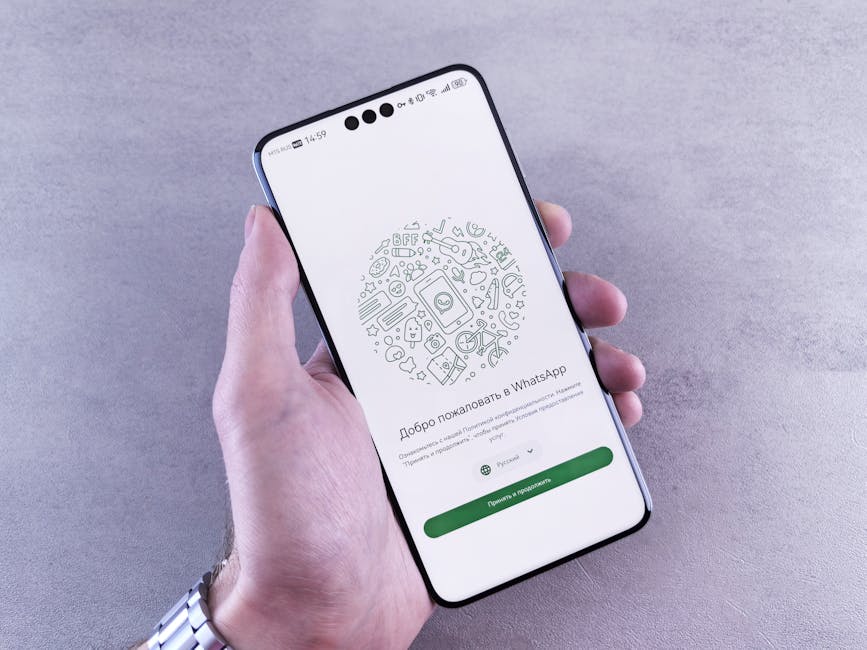
This change reduces the friction associated with accessing statuses, making them feel more like an intrinsic part of the messaging experience rather than a separate feature. It streamlines the user journey, allowing for quicker glances at updates without fully disengaging from the primary chat interface.
Phased Rollout and Beta Specifics
The implementation of this feature is occurring in a phased manner, typical for WhatsApp beta rollouts. Not all beta testers received the update simultaneously, indicating a gradual deployment that allows the development team to monitor performance and gather feedback incrementally. This controlled approach helps identify potential issues before a broader release.
Specific beta versions, such as certain builds within the 2.24.X.X series for Android, have been noted for containing this new interface element. The exact appearance and placement might vary slightly across different Android devices or even within different A/B testing groups, as WhatsApp often experiments with subtle variations to optimize user engagement. The feature is primarily a client-side update, though its activation for individual users might also be controlled by server-side switches.
Integration with the “Updates” Tab and Channels
It is important to note that the introduction of status previews in the top app bar does not necessarily signal the complete deprecation of the "Updates" tab. This tab has recently become the home for "Channels," a new broadcast feature allowing users to follow organizations, public figures, and communities for one-way updates.
With status previews moving to the top bar, the "Updates" tab may evolve to focus primarily on Channels and perhaps other discovery-oriented features. This separation could lead to a clearer distinction between personal ephemeral content (Status) and broader broadcast content (Channels), providing a more organized and intuitive navigation experience within the app. The design suggests a deliberate effort to declutter the bottom navigation bar, reserving it for core functionalities like chats, communities, and calls, while elevating personal status updates to a more prominent, always-visible position.
Impact on User Experience and Engagement
The integration of status previews into the top app bar is poised to have a multifaceted impact on WhatsApp's user experience and overall engagement with its ephemeral content feature. This design choice reflects a strategic understanding of user behavior and the competitive landscape of social communication.
Enhanced Discoverability and Convenience
One of the most immediate and significant impacts will be on the discoverability of status updates. By placing previews directly within the main chat screen, users are constantly reminded of available updates without having to navigate to a separate tab. This 'always-on' visibility ensures that statuses are more likely to be seen, even by users who might not regularly visit the dedicated "Updates" section.
The convenience factor is also substantially improved. Users can now quickly glance at who has posted a new status and tap to view it with minimal effort. This reduction in friction encourages more frequent interaction with statuses, making them a more fluid part of the daily WhatsApp routine. For many, the top app bar is the first point of interaction upon opening the app, making it an ideal location for high-priority, time-sensitive content like statuses.
Potential for Increased Engagement
Increased discoverability naturally leads to a higher potential for engagement. When statuses are easier to find and access, users are more likely to view them. This, in turn, can motivate more users to create and share their own status updates, knowing that their content has a greater chance of being seen by their contacts. A virtuous cycle of viewing and posting could emerge, significantly boosting the overall usage of the Status feature.
For businesses and individuals who leverage WhatsApp Status for informal communication, announcements, or promotions, this change could mean a wider reach and more immediate attention from their audience. It transforms Status from a secondary feature into a more central element of the WhatsApp experience.
Shifting Design Philosophy Towards “Stories-First”
This UI change aligns WhatsApp more closely with a "Stories-first" design philosophy, similar to Instagram. By giving status updates such a prominent position, WhatsApp emphasizes the importance of ephemeral, visual content in modern communication. It acknowledges that many users prefer quick, visual snippets of their contacts' lives over lengthy text conversations for certain types of interactions.
This move also reflects Meta's broader strategy of harmonizing user experiences across its suite of applications. Users familiar with Instagram Stories or Facebook Stories will find the interaction model and visual cues (like the green ring) immediately recognizable, reducing the learning curve and making the WhatsApp experience feel more integrated within the Meta ecosystem.
Impact on App Performance and User Perception
While aiming for improved user experience, integrating new UI elements into the top app bar requires careful optimization to avoid any negative impact on app performance. Developers must ensure that the continuous loading of status previews does not lead to increased battery consumption or slower app responsiveness, especially on older devices.
From a user perception standpoint, the change is likely to be met with mixed reactions initially. While many will appreciate the added convenience, some long-time users might prefer the traditional tab-based navigation or find the top bar slightly more cluttered. However, the general trend in app design favors intuitive, integrated experiences, suggesting that the benefits of increased engagement and discoverability will likely outweigh any initial resistance. The goal is to make the app feel more dynamic and less static, reflecting the fast-paced nature of digital communication.
Accessibility Considerations
The new placement also has implications for accessibility. For users with motor impairments or those who prefer one-handed operation, reaching the top app bar might be slightly more challenging than tapping a bottom navigation tab. However, for users with visual impairments, screen readers would likely adapt to announce the presence of new status updates, and the visual cues are strong for those with adequate sight. The overall goal is to make the app more intuitive for a broader audience, ensuring that core features are easily accessible.
What Next: Expected Milestones and Future Directions
The introduction of status previews in the top app bar marks a significant evolutionary step for WhatsApp's user interface. As with any major beta feature, its journey from testing to a stable, global rollout involves several anticipated milestones and suggests potential future directions for the platform.
Transition to Stable Release
The most immediate expectation is the eventual transition of this feature from the beta channel to the stable version of WhatsApp for all Android users. This process typically occurs over several weeks to a few months, depending on the feedback gathered during the beta phase. Developers will closely monitor crash reports, performance metrics, and user sentiment to ensure the feature is robust and well-received before a wider release.
A full rollout might be implemented gradually, perhaps starting with specific regions or device types, to manage server load and gather final insights. The success of this beta feature will heavily influence the timeline for its general availability.
Further UI Refinements and Feature Enhancements
Based on ongoing beta feedback, WhatsApp may introduce further refinements to the top app bar status preview. This could include subtle adjustments to the visual design, animation, or interaction models. For instance, there might be options for users to customize the visibility of these previews, or integration with other notification settings.
Beyond just previews, the enhanced visibility of statuses could pave the way for new status-related features. This might include more sophisticated editing tools, new interactive elements within statuses (like polls or quizzes, similar to Instagram), or improved analytics for business accounts utilizing the feature. The prominent placement suggests a long-term commitment to making Status a central pillar of the WhatsApp experience.
Cross-Platform Consistency: iOS Implementation
While this particular development has been observed on WhatsApp Beta for Android, it is highly probable that a similar interface change will eventually make its way to the iOS version of the app. Meta consistently strives for feature parity and a cohesive user experience across both major mobile platforms. The implementation on iOS might differ slightly due to Apple's Human Interface Guidelines, but the core concept of bringing status previews to a more prominent location is likely to be replicated.
Achieving cross-platform consistency ensures that users switching between Android and iOS devices have a familiar experience, reinforcing brand identity and reducing user friction. The design teams will likely work to adapt the top app bar concept to fit the established UI patterns of iOS.
Integration with the Broader Meta Ecosystem
This UI change also fits into Meta's broader strategy of fostering a more integrated ecosystem across WhatsApp, Instagram, and Facebook. By making WhatsApp Status more prominent and discoverable, Meta encourages users to engage more deeply with its various content formats. This could potentially lead to even tighter integrations in the future, such as cross-posting capabilities between WhatsApp Status and Instagram Stories, or unified content creation tools.
The increased engagement with Status could also open avenues for future monetization strategies, though WhatsApp has historically been cautious with advertising within its core messaging experience. However, a more active Status community provides a richer environment for potential business interactions and branded content, should Meta choose to explore those paths.
The Future of the “Updates” Tab
As status previews shift to the top app bar, the future role of the "Updates" tab at the bottom navigation bar becomes a point of interest. With Channels now firmly established within this tab, it is likely that the "Updates" section will evolve to become the primary hub for broadcast content, community news, and potentially other discovery features that are distinct from personal ephemeral updates. This separation could lead to a more organized app structure, with clear divisions between personal communication, community engagement, and ephemeral sharing.
Ultimately, the move to integrate status previews into the top app bar represents WhatsApp's continuous effort to refine its user experience, respond to evolving communication trends, and solidify its position as a leading global messaging platform. It underscores a commitment to making content more accessible and engaging, ensuring that users can connect and share in increasingly intuitive ways.
